
Home Theater and Whole-House Audio Installation: Planning, Cost, and Timeline
November 1st, 2026
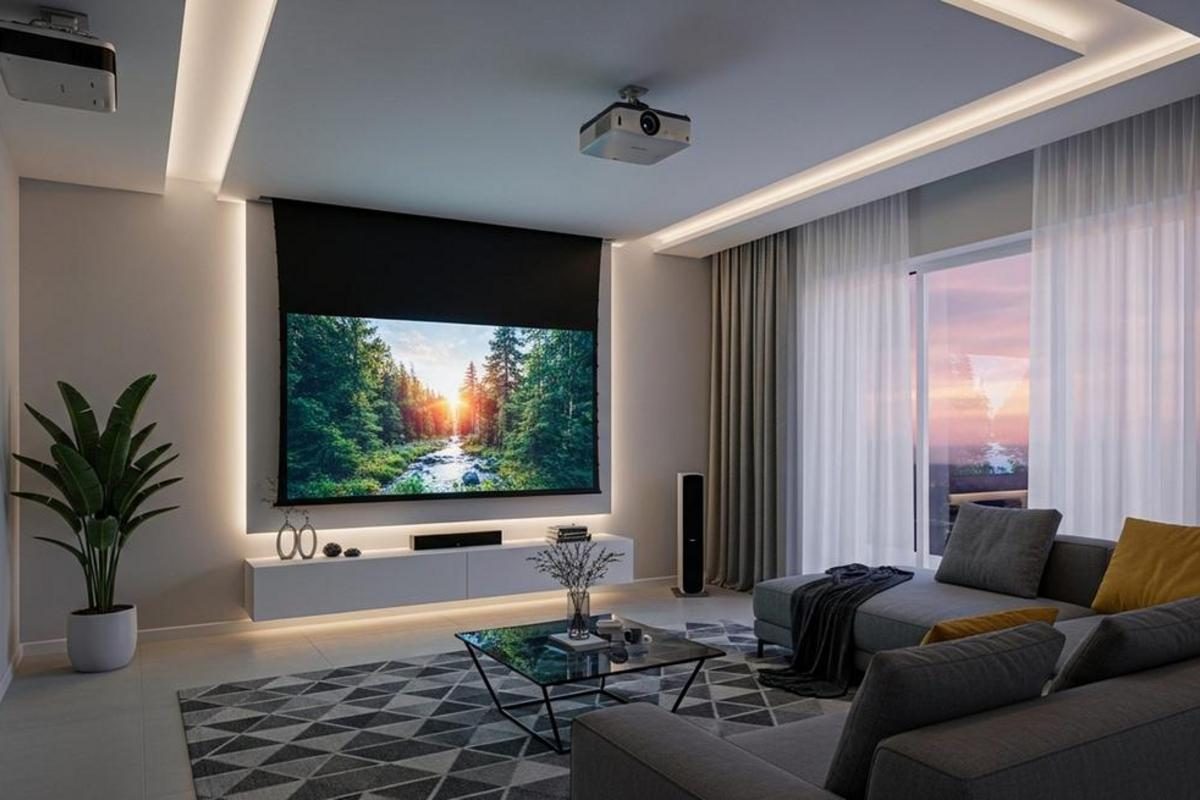
A home theater and a whole-house audio system are usually imagined as two separate projects. In practice they are one design problem. Both depend on the same things: where the wire goes, where the equipment lives, how each room sounds, and how the family wants to control it all. When those decisions are made before the walls close up, both systems cost less and work better. When they are made afterward, every upgrade becomes a retrofit.
This guide covers what the planning process actually involves, what drives the price at each level, and how long a realistic installation takes – whether the house is new construction or a finished home.
Planning Starts With the Room and the Listener
The first conversation is not about brands. It is about how the space will be used and who will use it. A dedicated theater for two adults who watch films at night is a different design from a media room where four kids, a game console, and a Saturday football crowd share the same screen. Those answers determine screen size, speaker layout, seating, lighting, and even how much sound isolation the room needs.
A Theater, a Media Room, or Both
A dedicated theater is a controlled room. Light can be eliminated, walls can be treated, and the seating is arranged around one screen. A media room is a shared living space that happens to have excellent audio and video. The technical difference is mostly about compromise: a media room has windows, traffic, and competing activities, so the design leans on brighter displays, more forgiving speaker placement, and simpler controls.
Room geometry sets the limits. Screen size follows viewing distance and field of view, not the other way around. Speaker positions follow the seating area. If the seating has to move, the acoustics change with it. Getting these relationships settled at the start prevents the most common and most expensive mistake: buying a display or a speaker package that the room cannot support well.
Whole-House Audio Is About Zones, Not Speaker Count
Whole-house audio is organized by zone, and a zone is a listening area with independent volume and source control. A kitchen, a primary bedroom, a patio, and a home office are four zones. The number of zones matters more than the total number of speakers, because each zone needs its own amplification and its own control path.
The design questions are practical. Does every zone need its own source, or is a shared stream acceptable? Should the family be able to play different music in different rooms at the same time? Are there outdoor speakers that need weather-rated hardware and separate volume control? Will the system integrate with a home automation platform, or stand alone with a phone app? Answering these early keeps the electronics simple and the wiring adequate.
What a Proper Installation Includes
Equipment is only part of the project. The work behind the walls determines whether the system performs as designed and whether it can be serviced later without opening drywall.
- Site survey and signal plan – measuring the room, identifying studs and obstructions, mapping cable routes, and confirming where power and network connections will land
- Structured wiring – speaker cable to each zone, HDMI or fiber to the display, network drops for streaming devices and control processors, all labeled and documented
- Conduit for future work – a raceway from the equipment location to the display and to key wall plates so tomorrow's cable can be pulled without demolition
- Dedicated power – a clean circuit for amplifiers and projectors, and adequate outlets behind the equipment rack
- Equipment rack and ventilation – a central location for amplifiers, processors, and network gear, with airflow and access for service
- Acoustic treatment – absorption and diffusion at the first reflection points, plus bass control where the room needs it
- Calibration and programming – speaker levels and delays, projector alignment, lighting scenes, and a control interface the household can actually use
The difference between a system that impresses on day one and one that still works five years later is usually in that list, not in the model numbers.
What Drives the Cost
Project cost is set by five variables: the room itself, the number of audio zones, the quality tier of the equipment, the amount of wiring and construction work, and the level of control and automation. A simple system in an open living room can be modest. A dedicated theater with acoustic construction, hidden speakers, and automated lighting can cost more than a car.
The ranges below are typical for professionally designed and installed systems in a mid-size home. They are planning figures, not quotes – the final number depends on room conditions, equipment selection, and how much construction is involved.
Home Theater Budget Ranges
- Media room with a large display and 5.1 surround – roughly $5,000 to $15,000, including display, receiver, speakers, wiring, and installation
- Dedicated theater with a 4K projector, 7.1 or Atmos sound, and acoustic treatment – roughly $25,000 to $75,000, with seating and room finishes often pushing toward the top of that range
- Reference-level theater – $100,000 and up, where the room is built for the system and every surface is part of the design
Whole-House Audio Budget Ranges
- Single-room or small system with a streaming amplifier and two to four speakers – roughly $2,500 to $6,000
- Four to eight zones with in-ceiling speakers, distributed amplification, and app control – roughly $8,000 to $20,000
- Large homes with outdoor zones, distributed video, and integrated automation – $25,000 and up
Costs That Are Easy to Forget
Several line items surprise homeowners after the equipment quote. Drywall repair and paint are real costs in a finished home, and they are unavoidable when cable has to travel through a wall. Electrical work for new circuits needs a licensed electrician. Acoustic treatment is a material and labor cost, not a decoration. Programming and calibration take skilled time, and a system that is installed but never calibrated rarely sounds like the demonstration did.
Network infrastructure belongs in the budget too. Streaming, control apps, and distributed audio all depend on reliable Wi-Fi and wired connections. A mesh router added as an afterthought is the most common reason a new system feels unreliable.
Timeline, Stage by Stage
In an existing home, a combined theater and whole-house audio project typically runs three to six weeks from signed contract to final walkthrough. In new construction, the work is spread across the build schedule instead. The stages are the same either way.
- Discovery and design (one to three weeks) – requirements, room measurements, equipment selection, and a written proposal with a signal and wiring plan
- Pre-wire and rough-in (two to five days) – cable runs, boxes, conduit, and backing, done before drywall in new construction or with strategic openings in an existing home
- Equipment procurement (two to six weeks) – lead times vary widely by brand and by projector or display model, so this stage often overlaps design and construction
- Installation and trim-out (three to five days) – mounting, speakers, rack build, terminations, and testing
- Calibration and programming (one to two days) – audio tuning, projector alignment, lighting scenes, and control setup
- Walkthrough and training (one to two hours) – a handover session for everyone who will use the system, plus documentation
Two factors extend the schedule more than any other: waiting on backordered equipment and uncovering a wall or ceiling condition that changes the cable route. A good installer builds both into the plan and communicates the impact before it becomes a surprise.
Questions to Ask Before You Sign
- Will you provide a wiring plan and a rack layout, or only an equipment list?
- Who is responsible for drywall repair and paint after the cable runs?
- How is the system controlled – one remote, a touch panel, a phone app, or all three?
- What happens when a source device changes, and how is the system updated?
- Is the design built around a standard that can expand, or does adding a room require replacing the amplifier?
- What does calibration include, and will it be documented?
- What is the service and support arrangement after the final walkthrough?
Next Step
A home theater or whole-house audio system is a construction project as much as a technology purchase. The planning decisions – room use, zone count, cable paths, equipment location, and control – determine the cost and the experience far more than any single component. Ovation Technology Group designs and installs home theaters and media rooms, whole-house audio systems, and the home automation that ties them together, with the wiring and documentation to support them for years. Contact us to talk through your room, your budget, and a realistic schedule before the first cut is made.